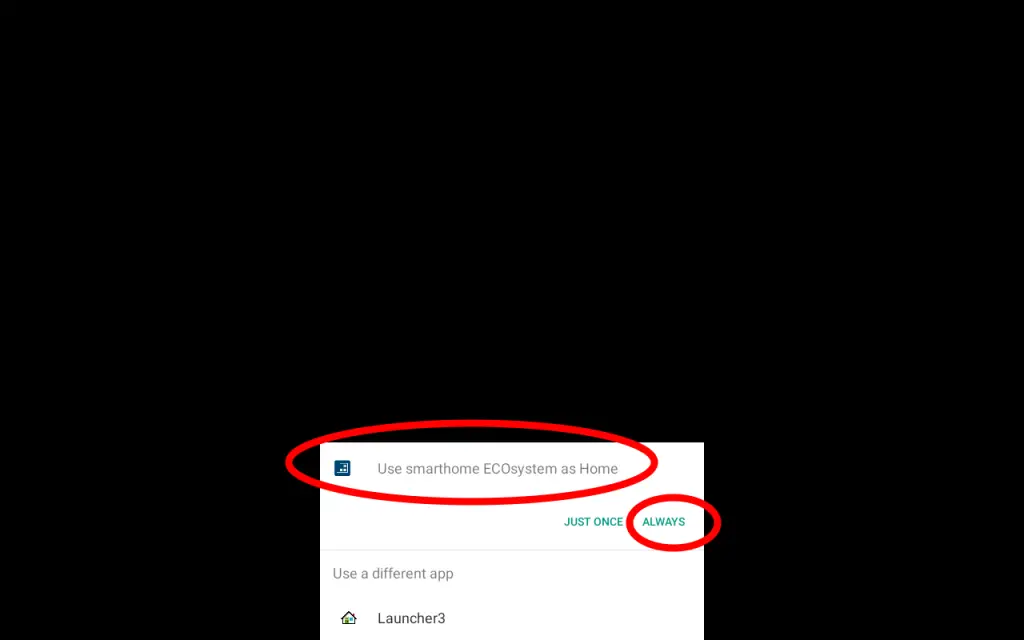
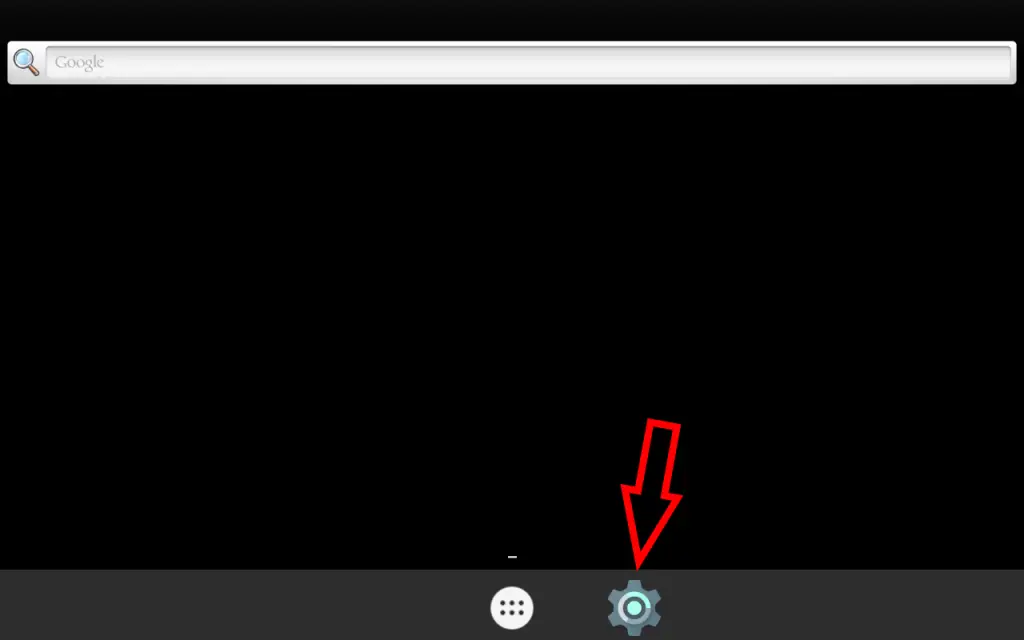
In principle, this screen should appear. If so, simply select “Smarthome Ecosystem as Home”, and then click “Always”. If this screen does not appear, it means that someone has activated Launcher3 as the home app. In this case, do the following:
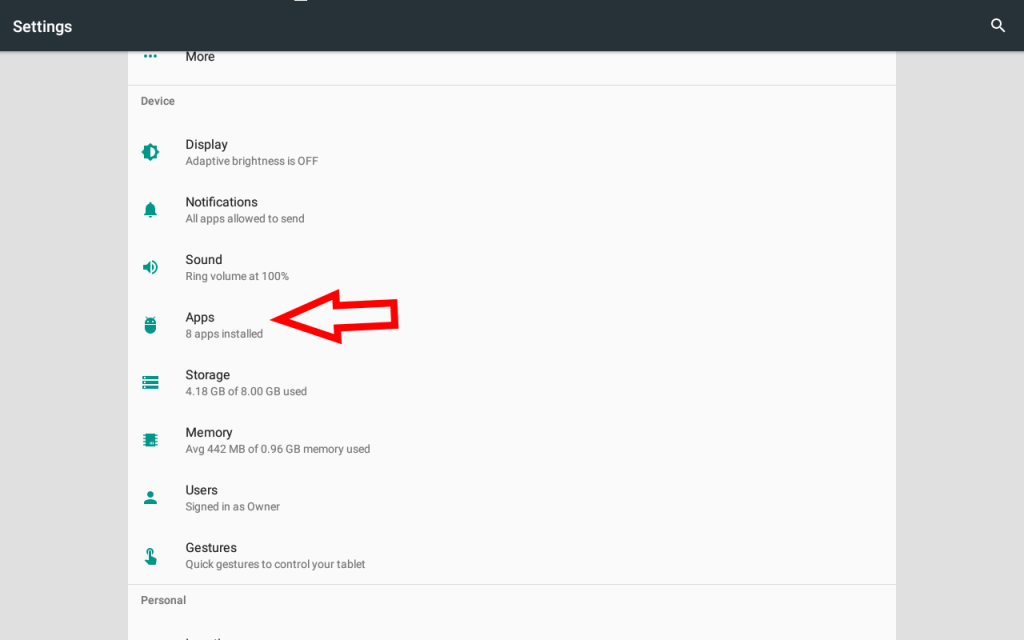
On this screen, click on “Apps”.
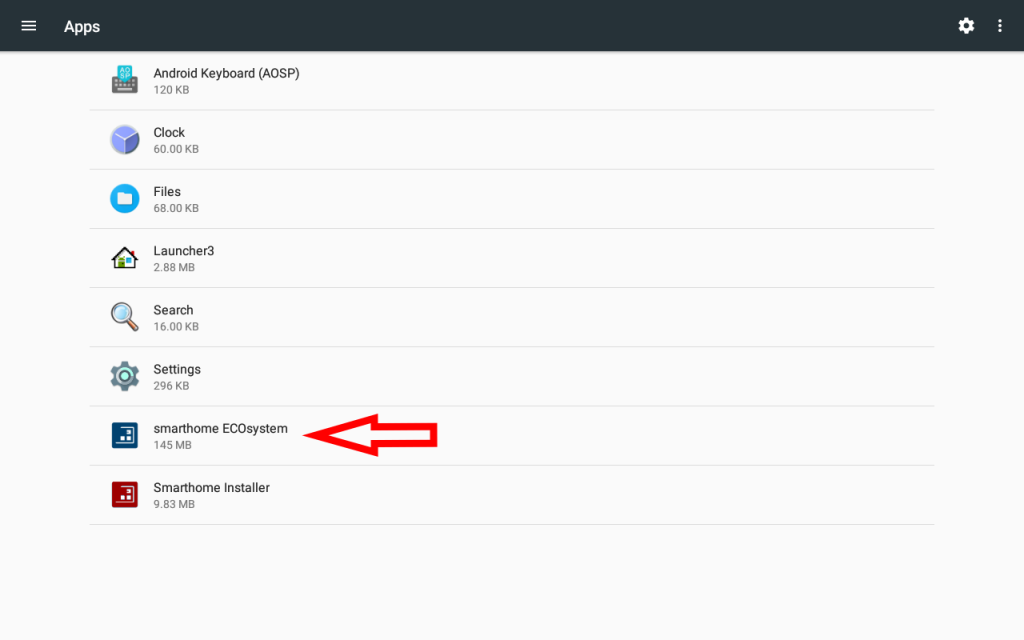
Select/click on “Smarthome ECOsystem”.
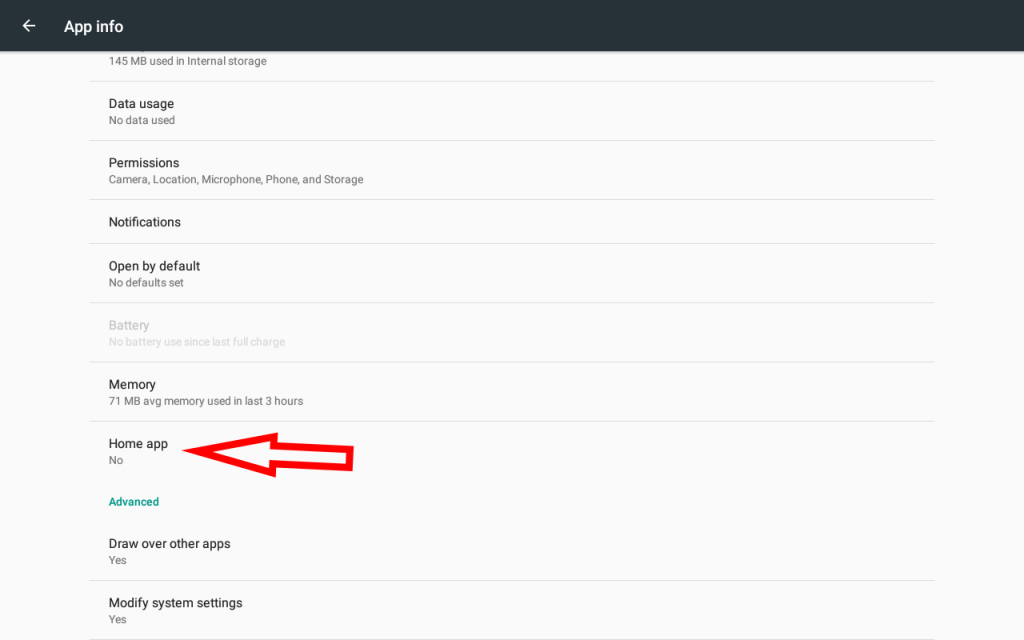
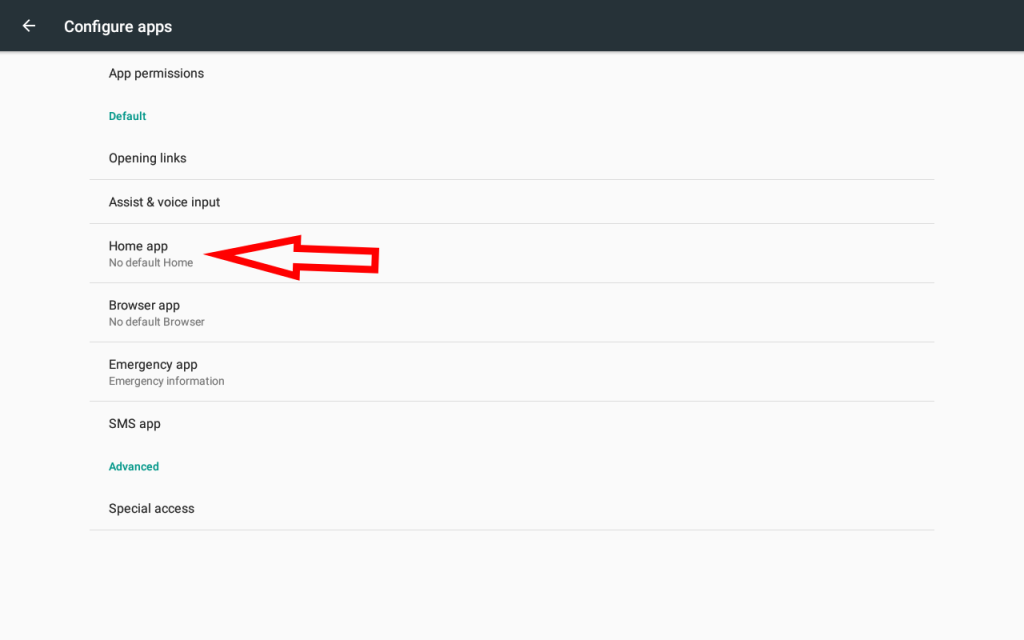
In this screen, select again “Home app”.
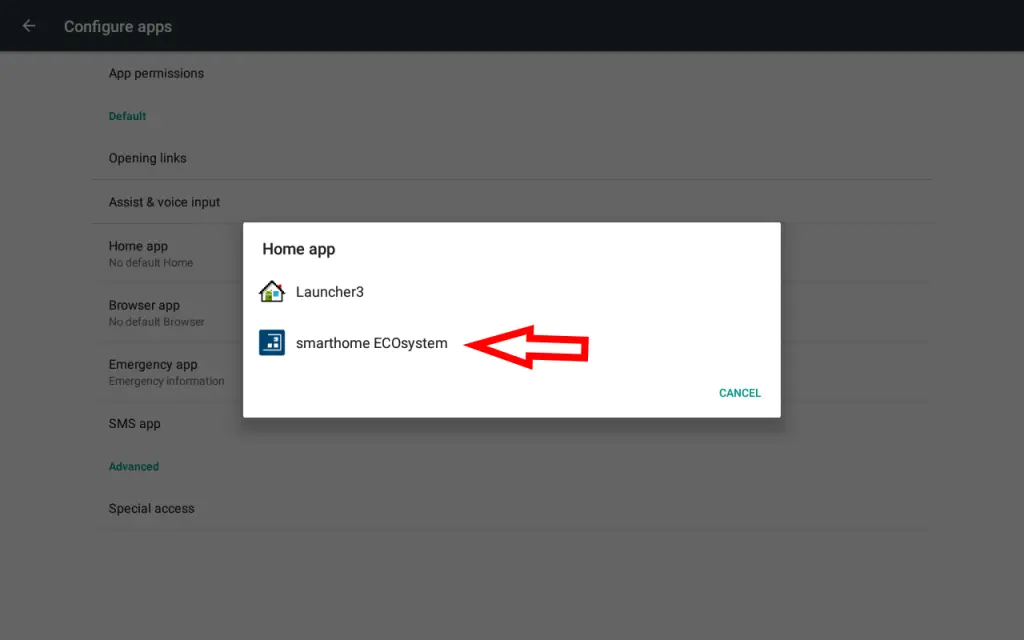
On this screen, confirm “Smarthome ECOsystem” as Home app.
Finally, reboot the Amika and the Smarthome app should launch automatically.