TechPro

German

Koch Intercom - Configuration Manual

Download

Koch Intercom - Configuration Manual

Configuration guide for the Amika tablet and the Koch AVS2100 intercom demo. Each step includes a corresponding video or screenshot.

Amika Configuration

Installer Access

Use the following installer code: 571810

Add Koch Intercom
IP Address: Enter the IP address of the AVS device on your local network.

SIP Username: KochDemoSip

Step 1 Demonstration Video

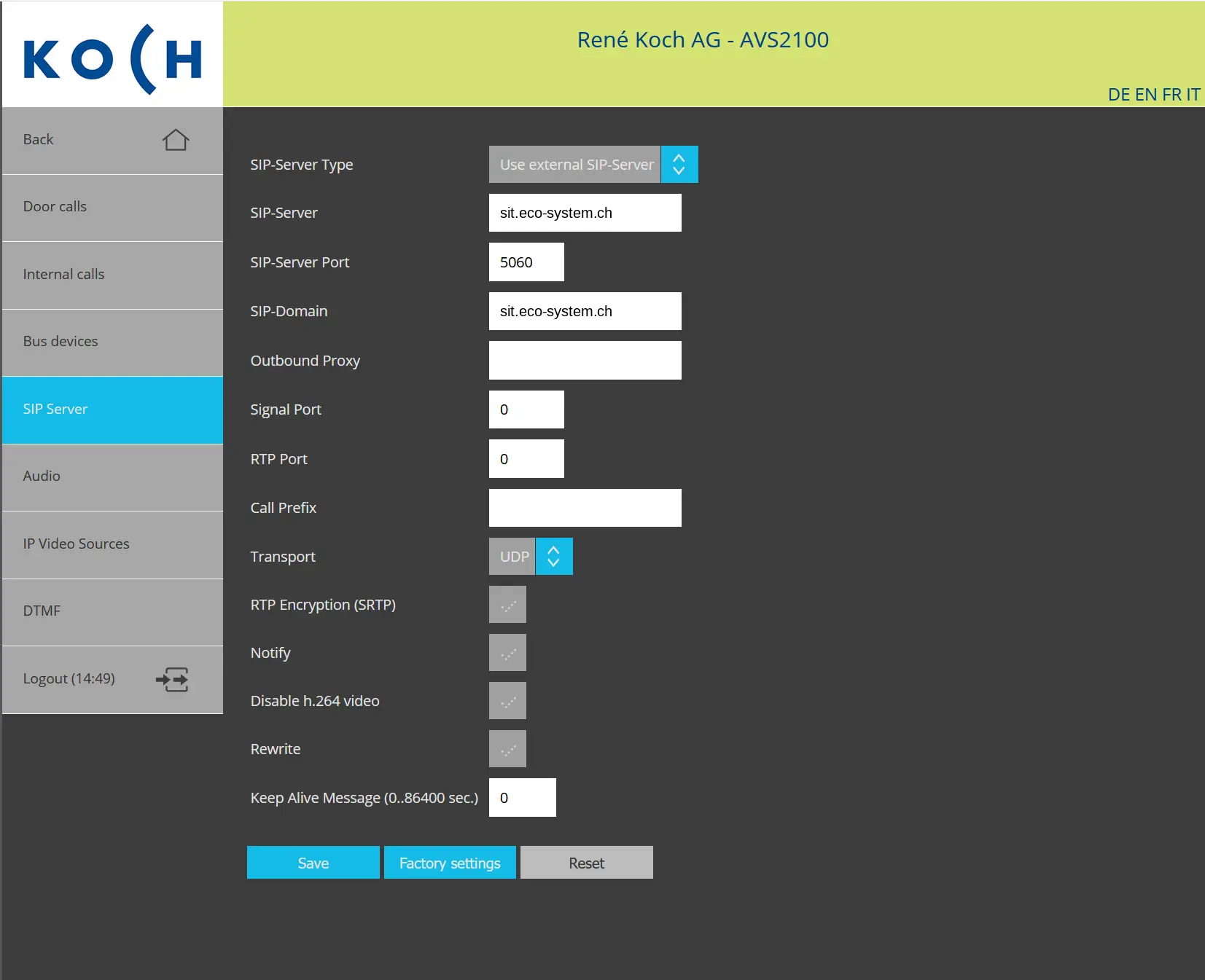
SIP Server Configuration

Open the “SIP Server” menu and select: Use external SIP-Server

  • SIP Server: sit.eco-system.ch
  • SIP Server Port: 5060
  • SIP Domain: sit.eco-system.ch
  • Transport: UDP

Leave the remaining fields unchanged and then click “Save”.

SIP Server Settings

SIP Server Settings

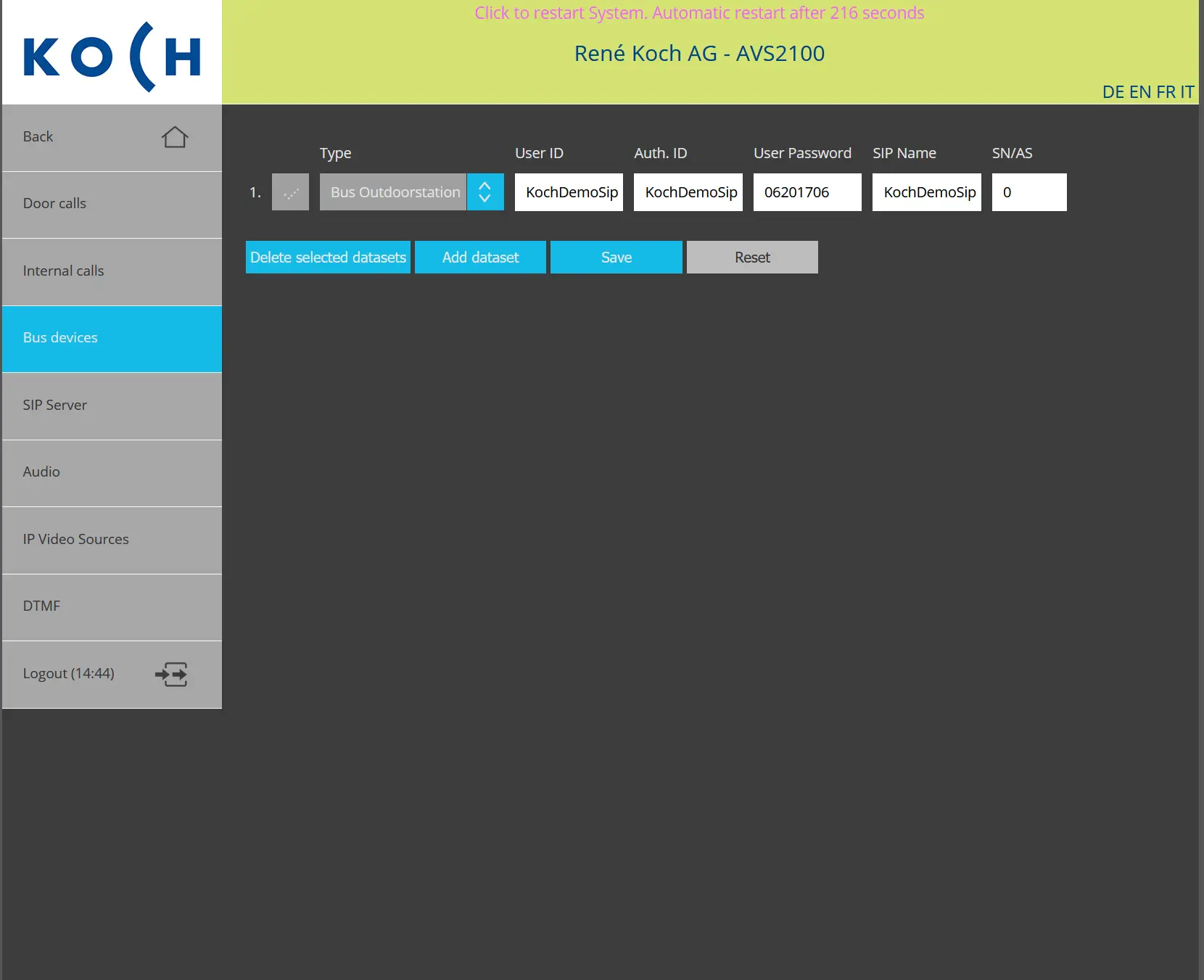
BUS Device Configuration

Open the “BUS Devices” menu and configure the device with the following credentials:

  • Type: BUS Outdoor Station
  • User ID: KochDemoSip
  • Authentication ID: KochDemoSip
  • User Password: 06201706
  • SIP Name: KochDemoSip

After entering the credentials, click “Save”.

BUS Device Settings

BUS Device Settings

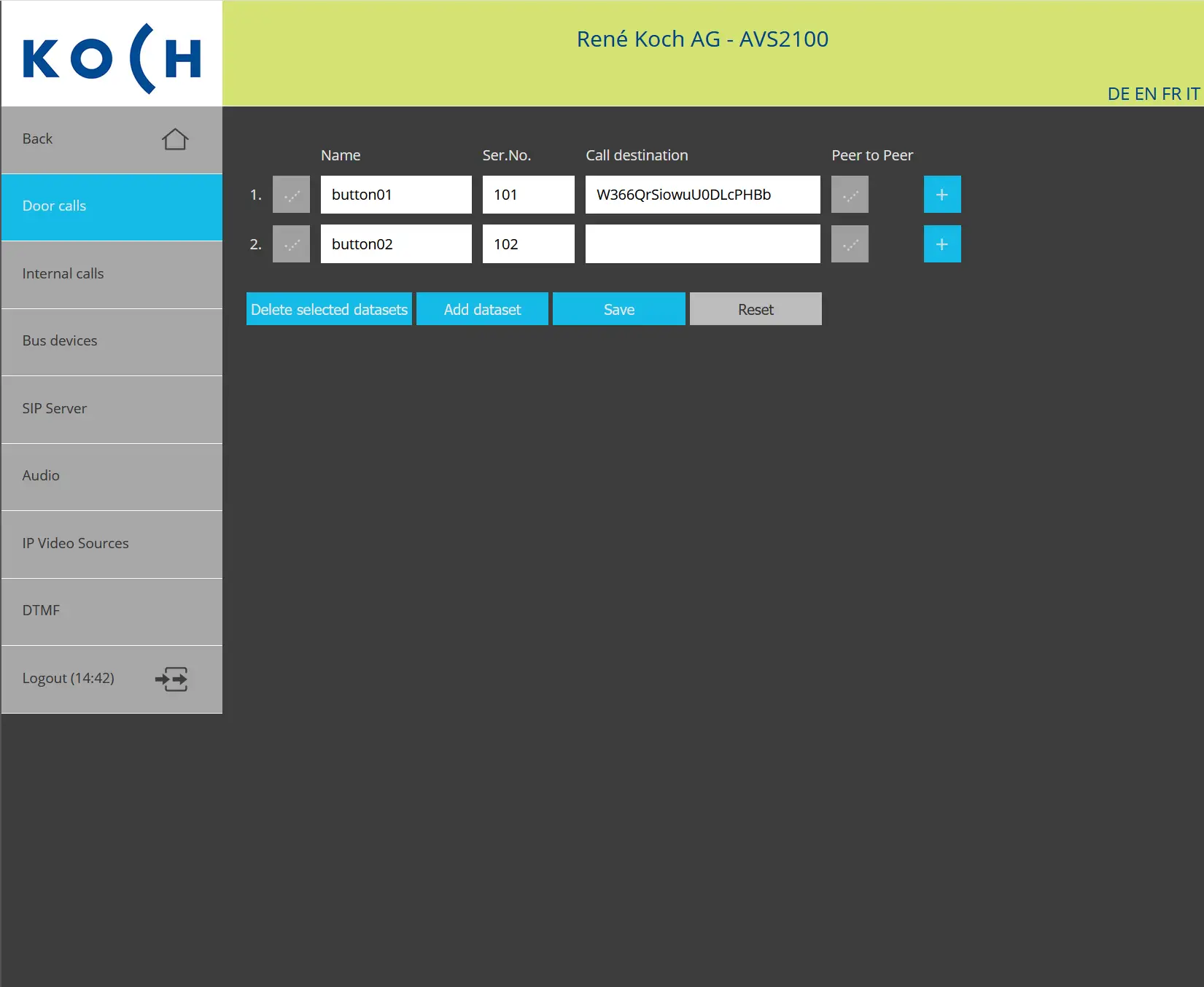
Door Call Configuration

“Door Calls” menu. For the desired call button, enter the following Amika account name in the “Call Destination” field:
W366QrSiowuU0DLcPHBb

Click “Save”. When the button is pressed, the intercom should call this Amika SIP account.

Door Call Button Settings

Door Call Button Settings