Configuration guide for the Amika tablet and the Koch AVS2100 intercom demo. Each step includes a corresponding video or screenshot.
Installer Access
Use the following installer code: 571810
Add Koch Intercom
IP Address: Enter the IP address of the AVS device on your local network.
SIP Username: KochDemoSip
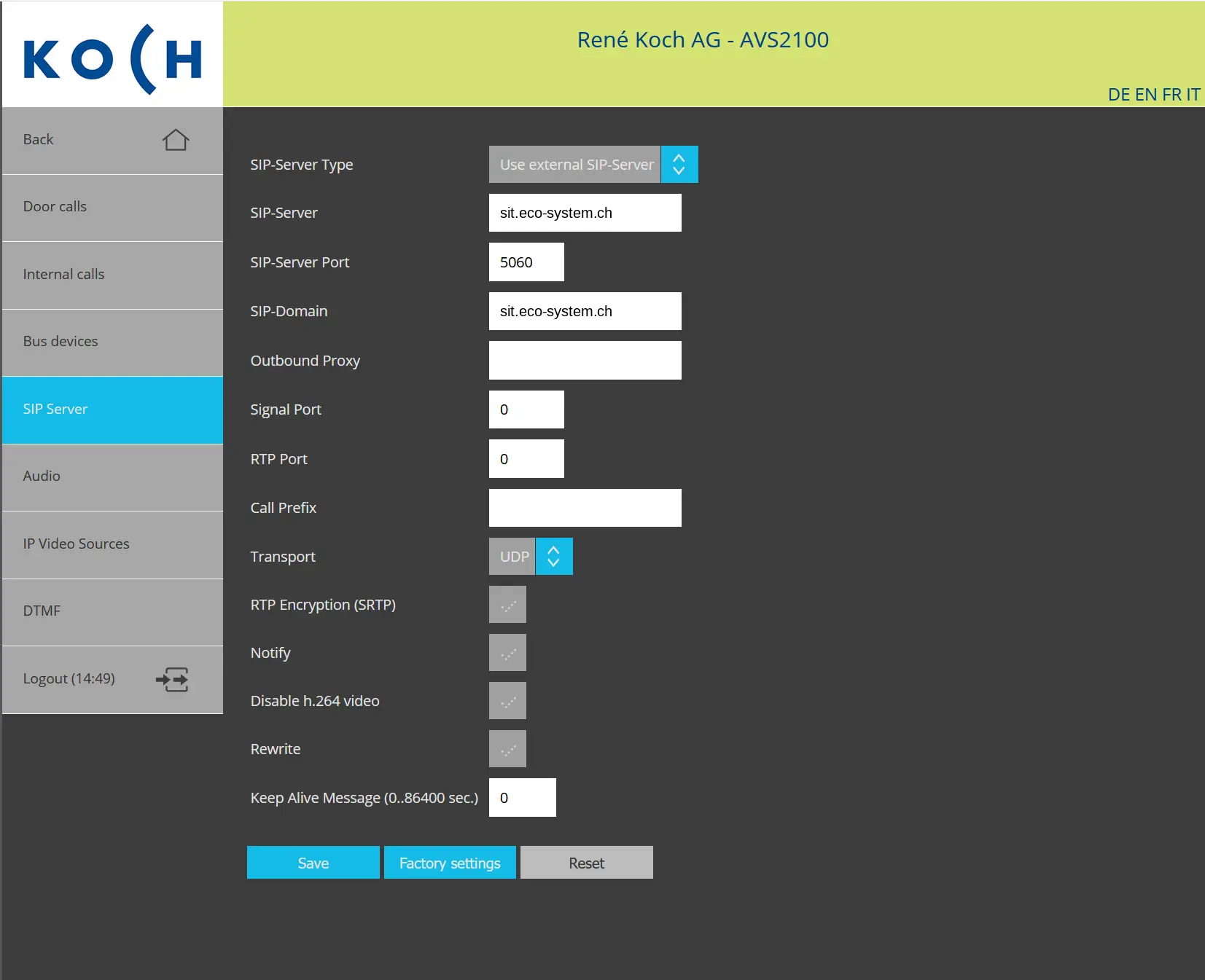
Open the “SIP Server” menu and select: Use external SIP-Server
Leave the remaining fields unchanged and then click “Save”.
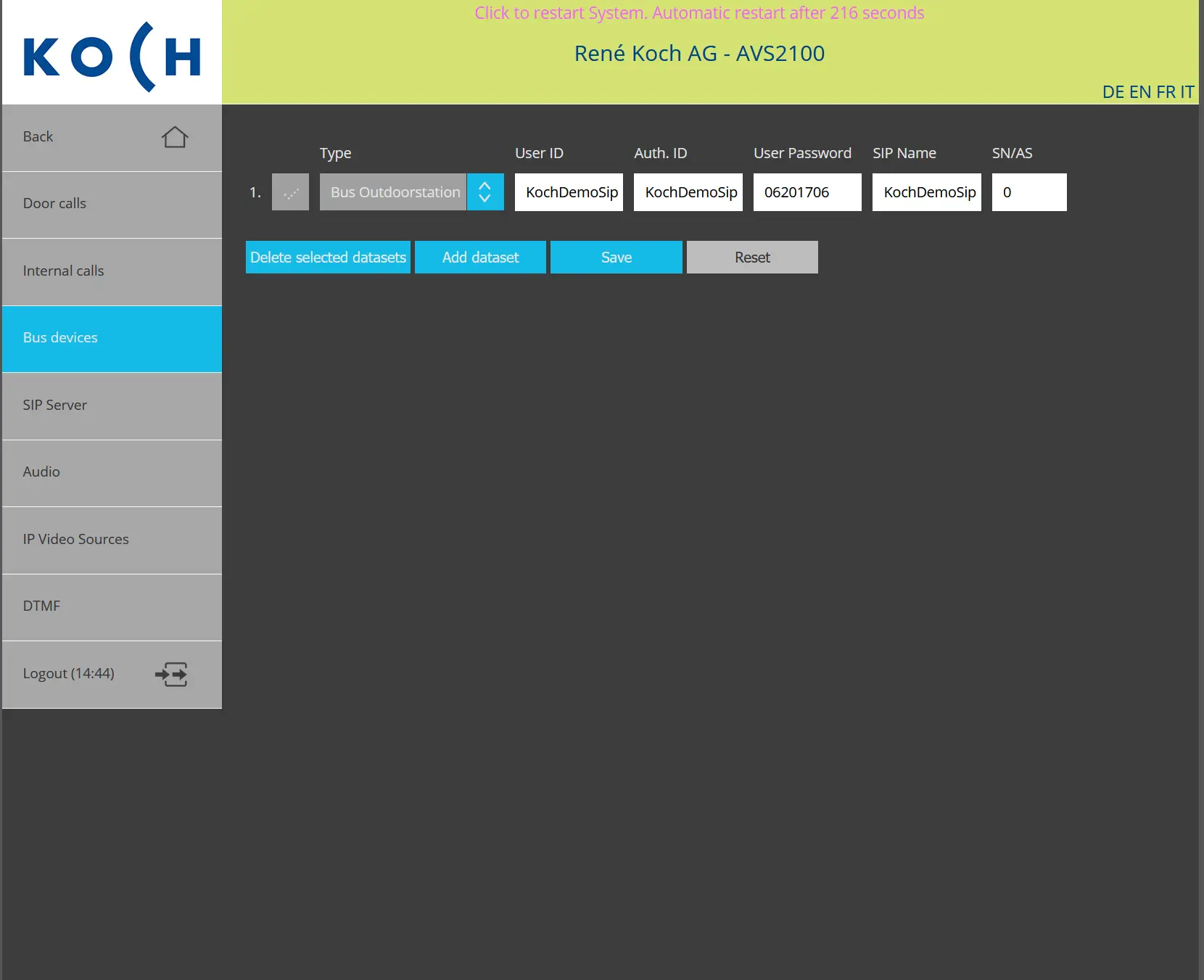
Open the “BUS Devices” menu and configure the device with the following credentials:
After entering the credentials, click “Save”.
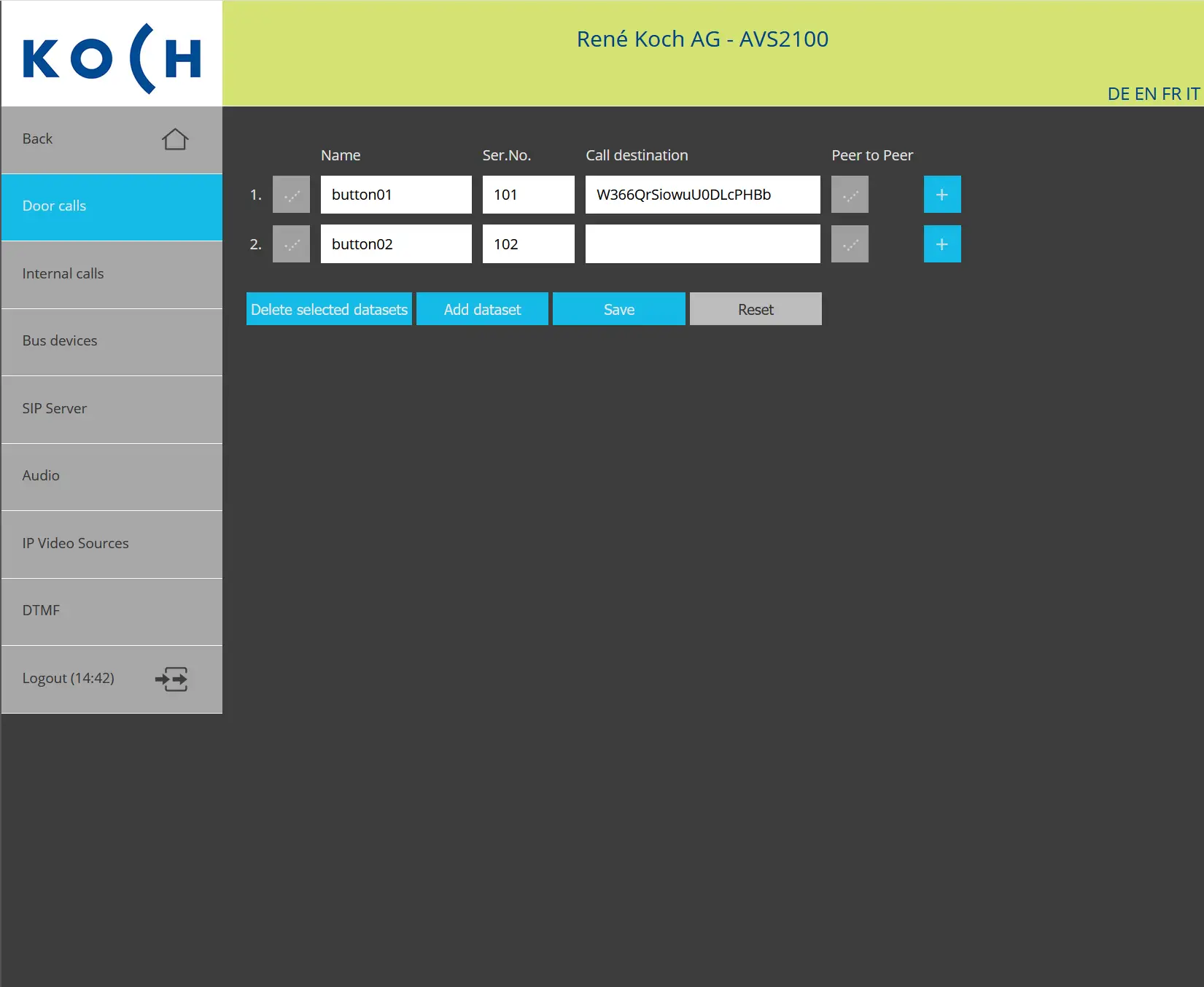
“Door Calls” menu. For the desired call button, enter the following Amika account name in the “Call Destination” field:
W366QrSiowuU0DLcPHBb
Click “Save”. When the button is pressed, the intercom should call this Amika SIP account.